Back to portfolio

Stock Portfolio Viewer

A local-first portfolio management application that lets investors import broker data into a single private workspace, display the data in multiple personalised views and support the analysis through an AI-assisted chatbot.

How I built it

Used Claude Code as a virtual cross-functional development team, creating specialised skill workflows for architecture, UI development, testing, governance and project management. Integrated MCP tools including Figma, shadcn and Playwright to connect product design, implementation and E2E testing.

01 — Problem

Portfolio data split across brokers

Portfolio data is fragmented across brokers, while existing broker interfaces offer limited personalisation and cross-portfolio analysis.

02 — Product

A local-first, personal analytics workspace

A local-first portfolio management application that consolidates broker data into a personalised analytics workspace, complemented by an AI portfolio assistant.

03 — Key decisions

Local-first, starting with IBKR

Local-first architecture · IBKR-first MVP · Broker abstraction · AI grounded in portfolio data
04 — Outcome

An IBKR MVP built to add more brokers

IBKR MVP · Portfolio analytics · Dividend tracking · AI assistant · Broker-extensible architecture

05 — My contribution

From data pipeline to AI-assisted delivery

Product strategy · Data pipeline · UX/UI · Architecture · Development · AI-assisted delivery

Built with

  • Electron
  • React
  • TypeScript
  • SQLite
  • OpenAI
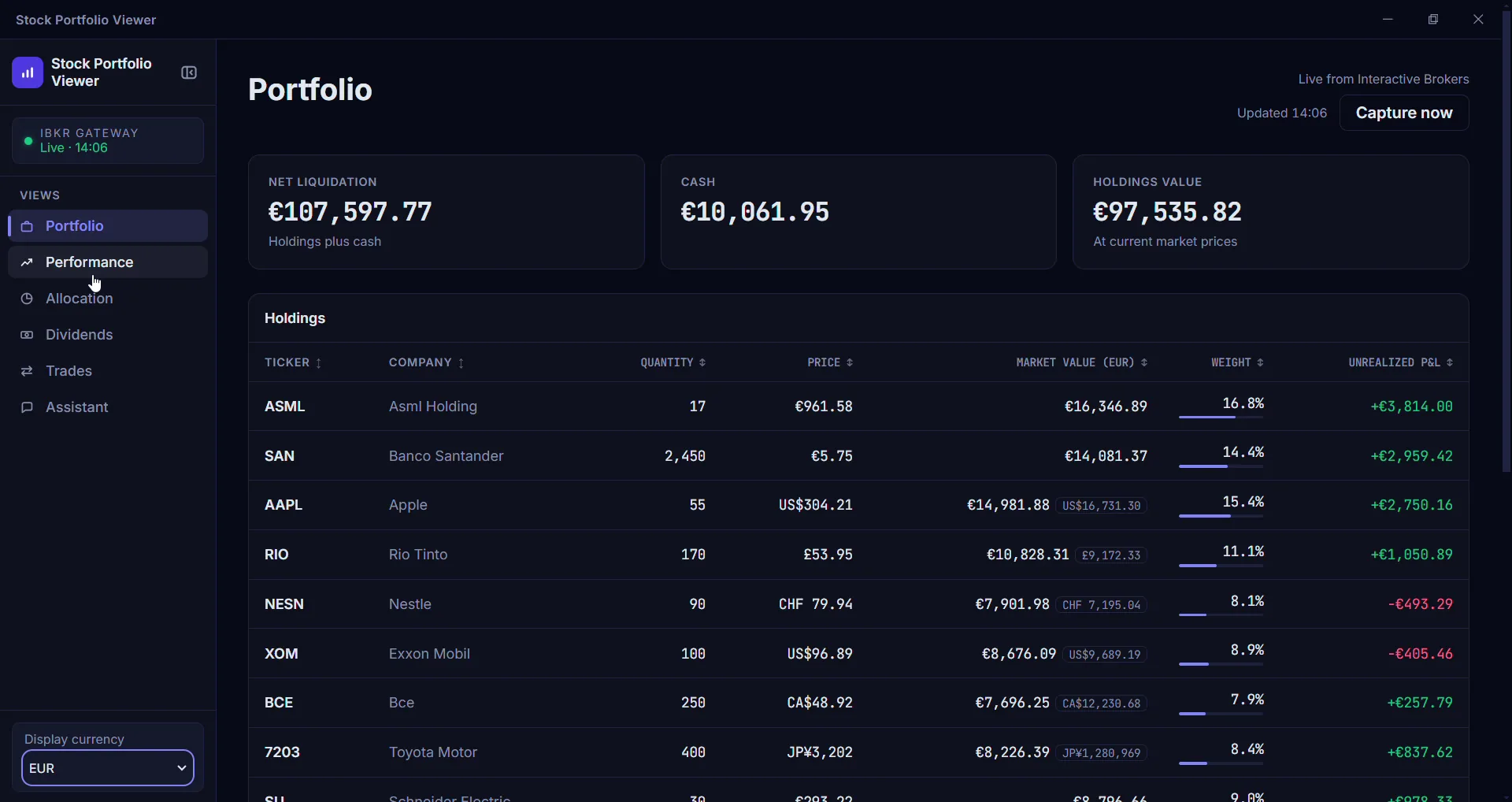
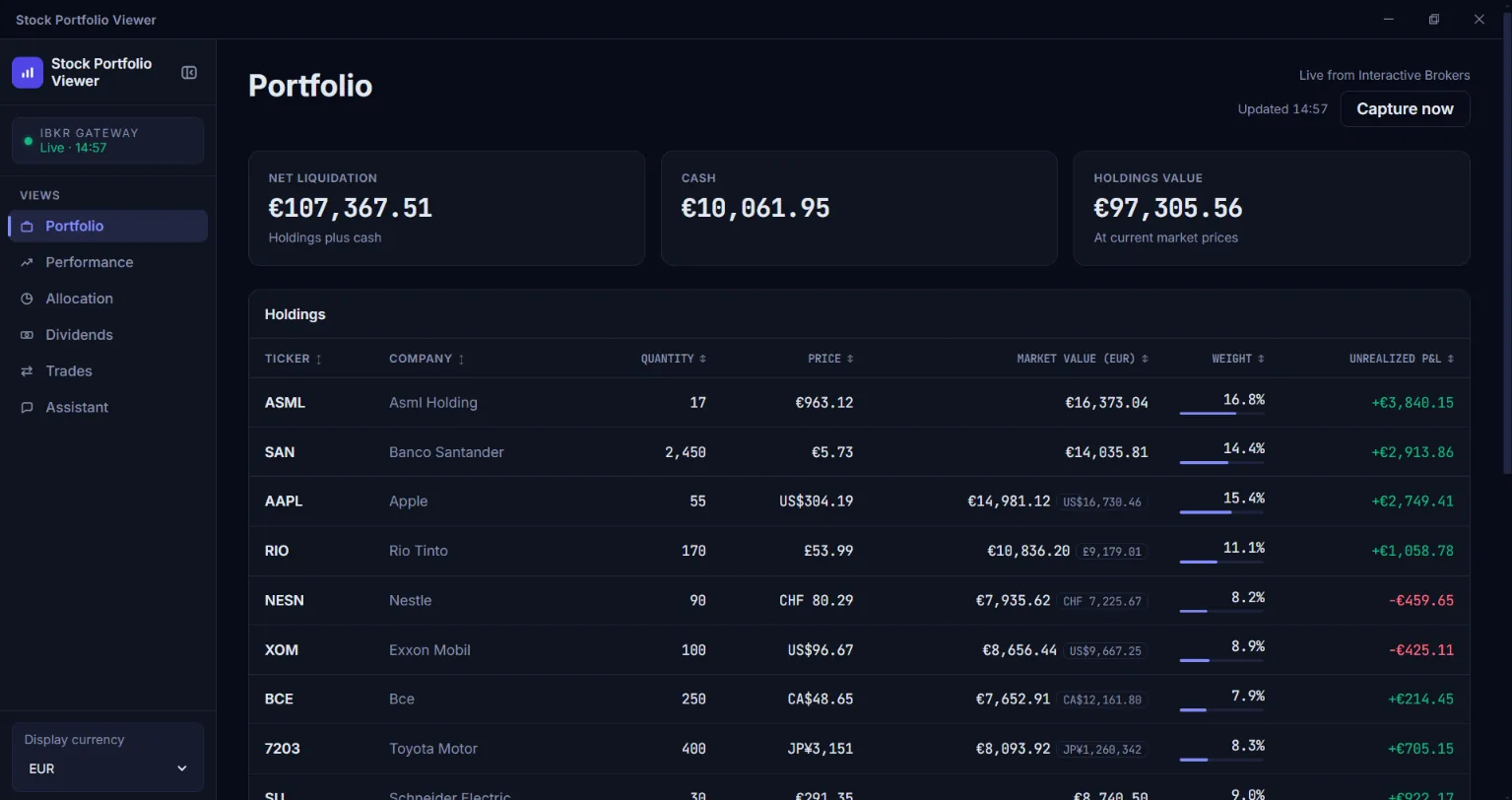
The Stock Portfolio Viewer’s window, showing its Portfolio view: the net liquidation value, the cash and the holdings’ value, above a table of the holdings with each one’s quantity, price, market value, weight and unrealised profit or loss

The Portfolio view

1 of 5

The Portfolio view
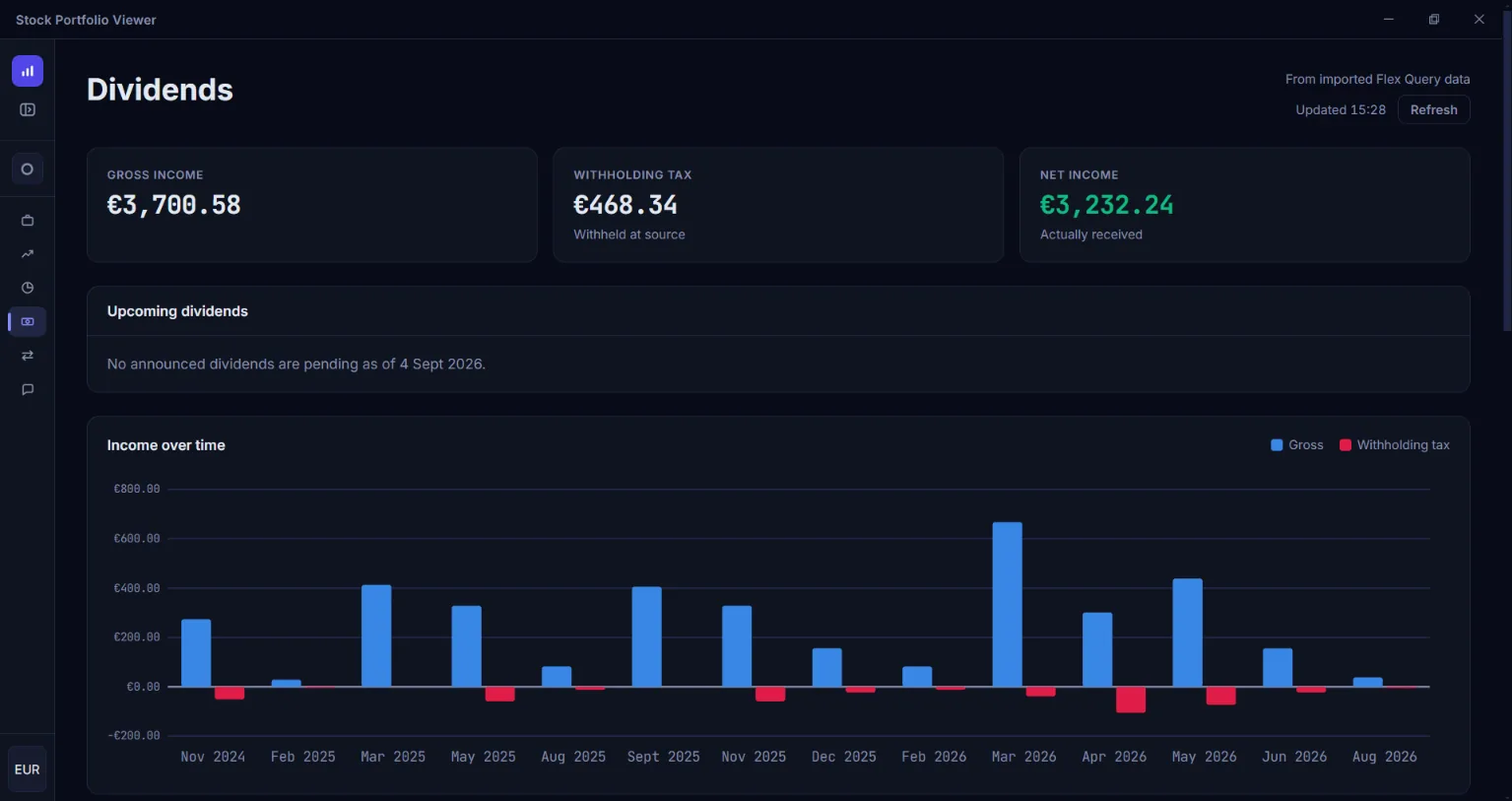
The Stock Portfolio Viewer’s window, showing its Dividends view: the gross income, the withholding tax and the net income, above the upcoming dividends and a bar chart of the gross income and the withholding tax over time

The Dividends view

2 of 5

The Dividends view
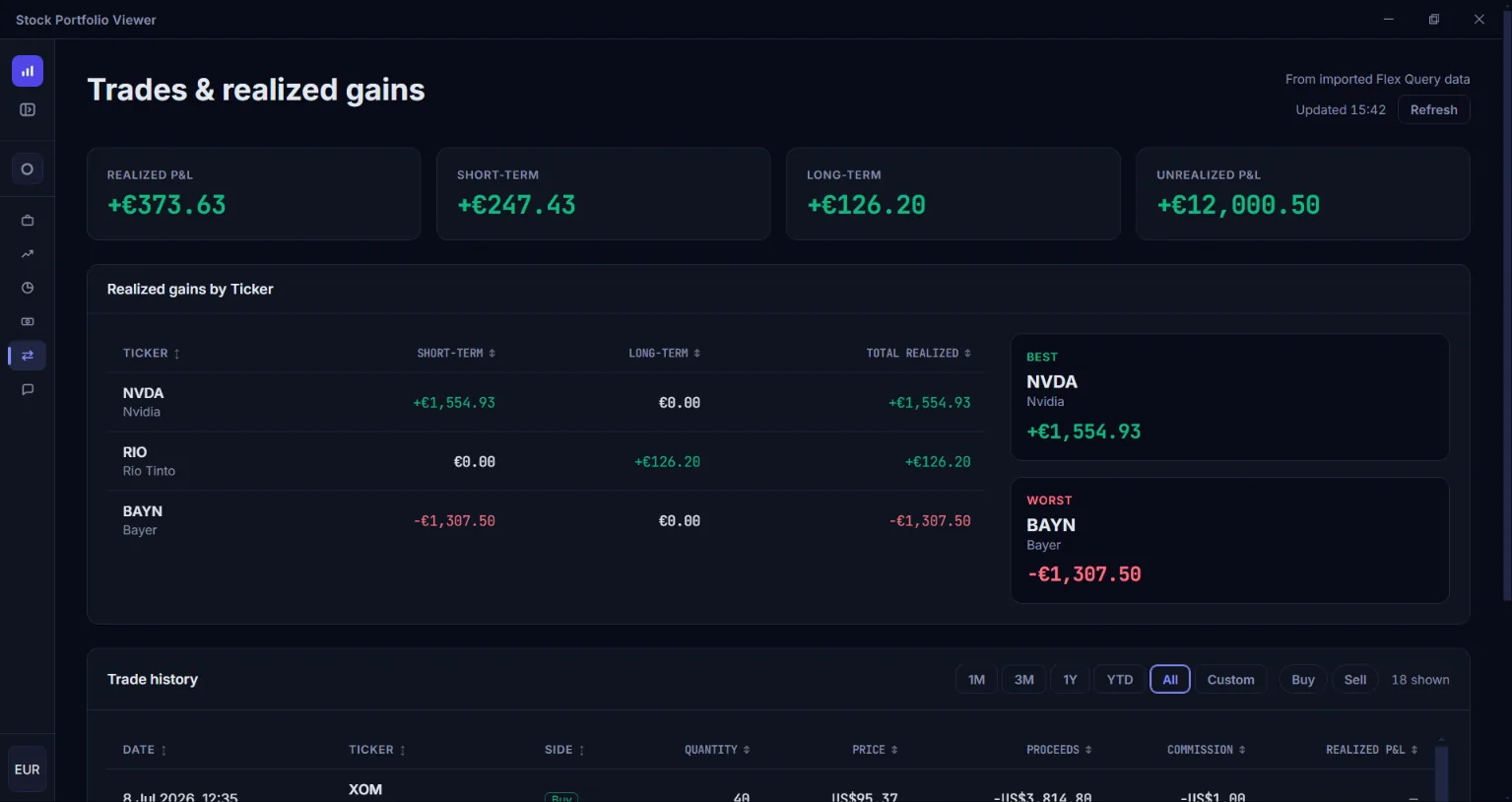
The Stock Portfolio Viewer’s window, showing its Trades view: the realised profit or loss, short-term and long-term, and the unrealised, above a table of the realised gains by ticker beside the best and the worst of them, and the start of the trade history

The Trades view

3 of 5

The Trades view
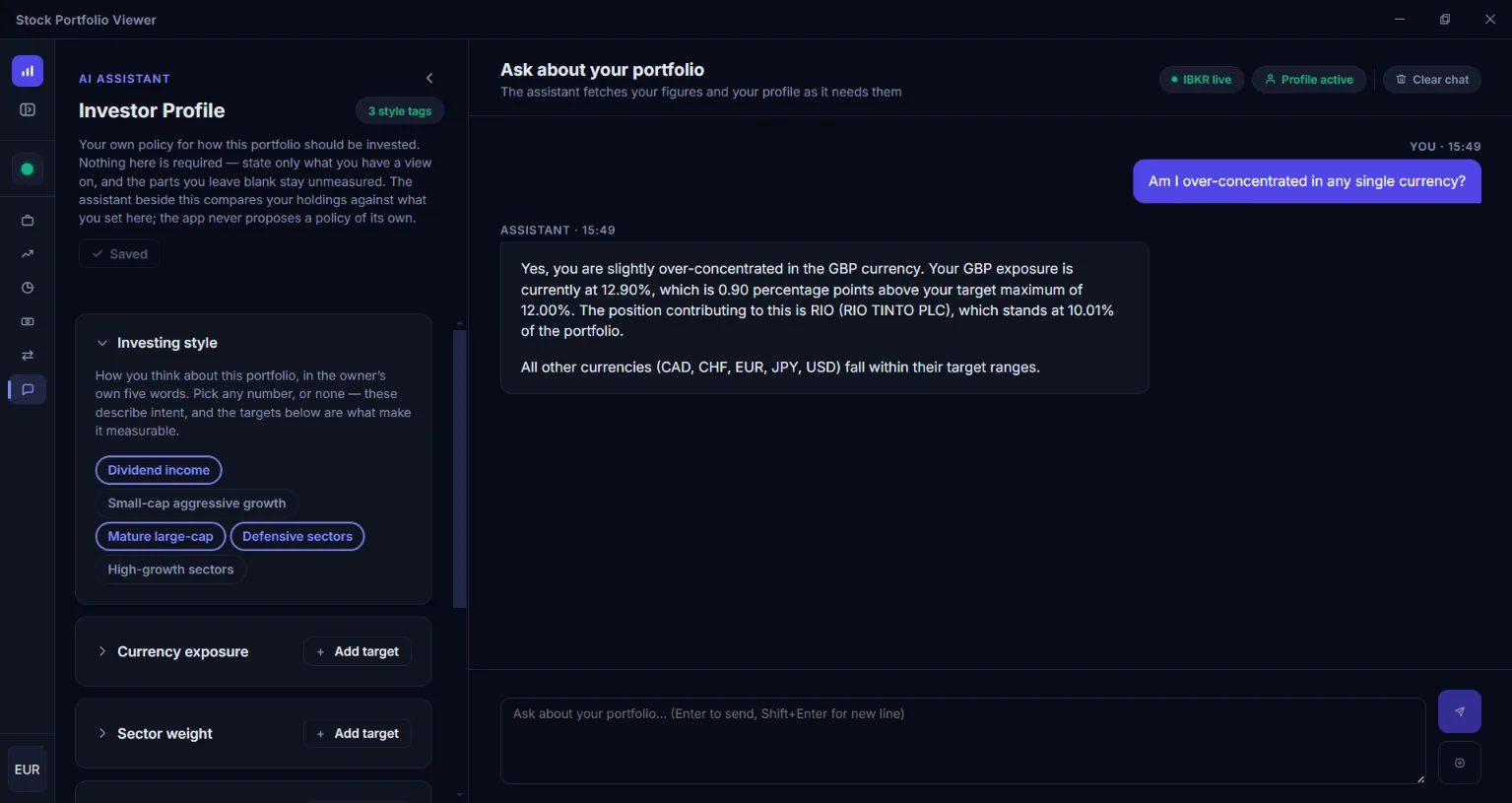
The Stock Portfolio Viewer’s window, showing its Assistant view: the investor profile, with the tags of an investing style and targets for currency exposure and sector weight, beside a chat in which the assistant answers whether the portfolio is over-concentrated in any single currency

The Assistant view

4 of 5

The Assistant view
A silent screen recording of the Stock Portfolio Viewer, a minute and a half long. It goes through the views in turn: the Portfolio view’s holdings, the Performance view’s charts over two periods, the Allocation view’s map and its tables by sector, country and currency, the Dividends view’s income over time, and the Trades view’s realised gains and trade history. It ends in the Assistant view, where the investor profile is opened and the assistant answers whether the portfolio is over-concentrated in any single currency.

Video walkthrough

5 of 5

Video walkthrough